
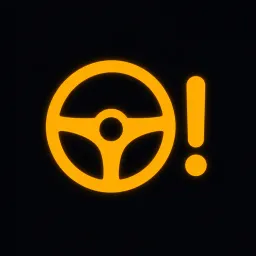
The lane departure warning light can show a lane drift alert, system status or a fault. A brief alert means check your position and steer safely within your lane. An amber light that stays on may mean the camera cannot see lane markings or the system is not working. Keep control yourself and read the dashboard message.
Also called LDW light, lane assist light, lane keeping warning, lane departure alert
What to do right now
- Keep your eyes on the road and both hands ready to steer. Correct any lane drift smoothly when it is safe.
- Read the status message once safely parked. Check the manual for the symbol's colour and whether the feature is switched off.
- Clean the outside of the windscreen around the camera area as your manual says. Clear ice and mist without touching the camera.
- Drive without relying on lane warnings if rain, glare, snow or missing markings make detection harder. Follow the road yourself.
- Book a camera and fault-code check if the warning stays on in clear conditions, especially after windscreen or body repairs.
- Stop safely and get help if steering becomes hard to control or pulls unexpectedly. Do not treat a steering fault as only a camera warning.
Find out what's wrong with your car
Tell us your car and what you've noticed. You'll get a safety verdict and the three most likely causes, free.
Light selectedLane departure warning light
Free result
- Can you keep driving
- Top 3 likely causes for your car
- DIY or mechanic for each
Fix Plan
- Every cause, ranked for your car
- What to test first
- Parts list and step-by-step DIY guide
- Printable PDF
Start free. You can choose the Fix Plan after you see your result.
Common causes
These are general possibilities. Your car, symptoms and fault codes help narrow them down.
The car approaches or crosses a lane marking
No repair is needed for a correct alert. Some systems hold back warnings when you signal a lane change. Behaviour varies by car.
Poor markings, glare or bad weather
No repair is needed when detection returns in suitable conditions. Drive without relying on the feature while it is not working.
Camera view blocked or system switched off
Cleaning or a setting change may get it working again. Check the manual before changing settings, and adjust them while parked.
Camera needs calibration after repair
The calibration needed depends on the model and work done, including windscreen replacement.
Camera, connector or wiring fault
Repair or replacement may need calibration. Read the assistance system codes before replacing the camera.
Steady vs flashing
Steady
Green or white often means ready or shows status. Amber may mean switched off, unavailable or faulty. Meanings vary by car.
Flashing
A brief flash, chime or steering wheel vibration can warn of unintentional lane drift. It does not by itself prove a fault.
At a glance
- Severity
- ▲ Check soon
- Can I keep driving?
- Yes, if the steering feels normal. Lane assist may be off, so keep yourself in your lane.
- Most common cause
- Lane drift alerts or lane markings temporarily out of view. Check the message
- DIY difficulty
- Easy
- Systems
- Forward camera, lane marking detection and optional lane keeping assistance
Read your fault code
The light is the warning. The code tells you why. A code helps narrow down the checks. It doesn't prove which part failed.
Look up a code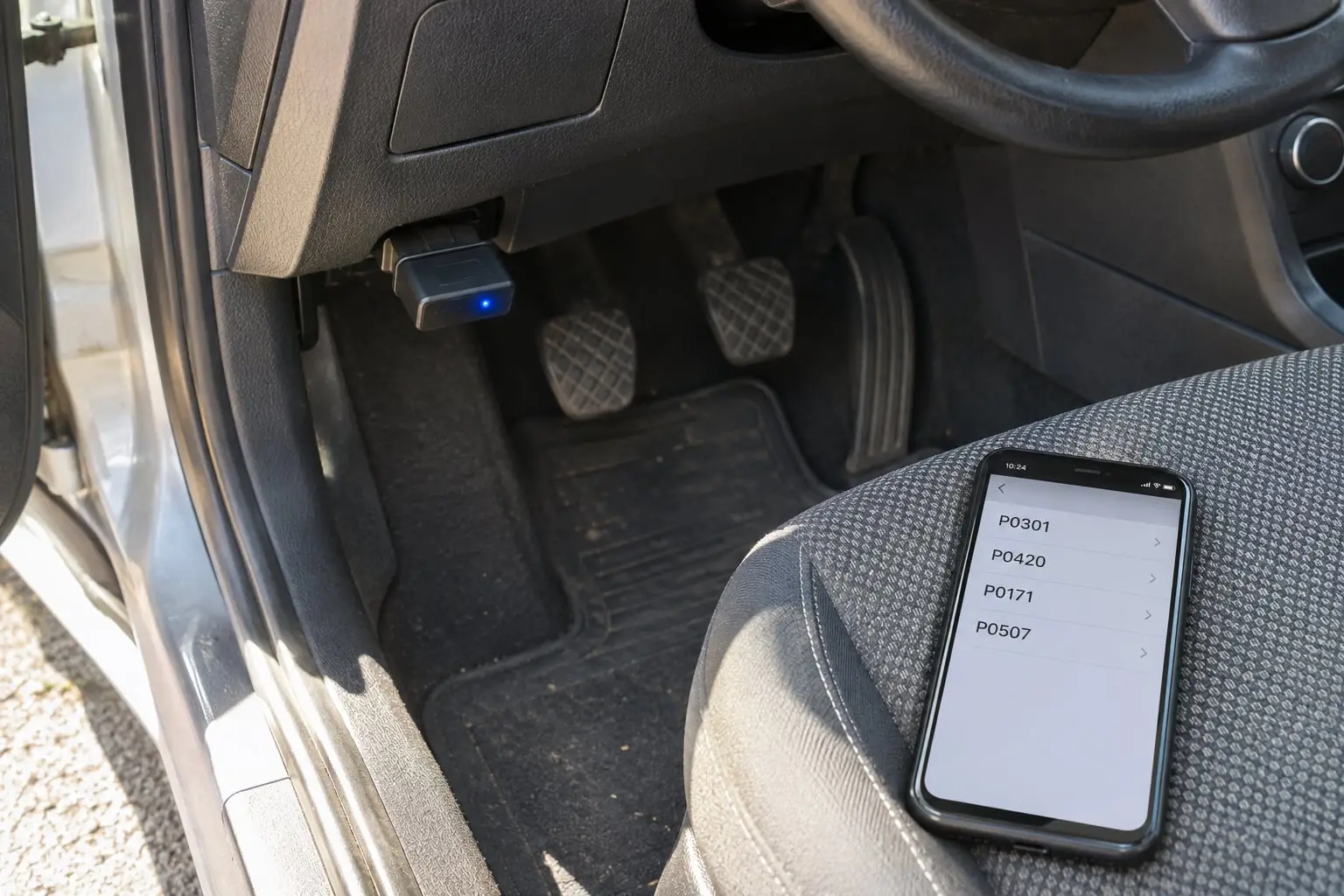
No scanner?
- Get a free scan at a parts store. Many free scans read engine codes only.
- Compare Bluetooth scanners. Check which systems each one reads before you buy.
- Describe your symptoms if you can't read the code yet.
Our pickBlueDriver Pro
Most drivers who want code explanations and repair reports, plus ABS and airbag code reading on supported cars.
How to reset it
Write down the fault code and fix the cause before clearing the light. A reset does not repair a fault.
Check your owner's manual for the reset steps for your car.
Other names for this light
- USlane departure warning indicator
- UKlane assist warning light
- AUlane departure warning lamp
Common questions
Can I drive with the lane departure warning light on?
Usually yes if your car steers normally, but assume lane assistance is unavailable. Keep control yourself and get a check for a fault that stays on. Stop safely if steering becomes unpredictable or hard to control.
Why is my lane assist light yellow?
Yellow or amber often means the system is unavailable, switched off or has a fault. On some cars it can also show active assistance. Read the message and manual because colours vary by car.
Why does lane departure warning stop working in rain?
The camera may struggle to see lane markings through heavy rain, road spray or glare. Snow and worn paint can have the same effect. An unavailable message that goes away does not necessarily mean a broken camera.
Does lane departure warning steer the car for me?
No, lane departure warning alone alerts you to lane drift. Lane keeping assistance is a separate function that may make steering corrections. You still need to steer, watch the road and stay in your lane.
How much does it cost to fix a lane departure warning light?
The repair depends on the cause. Temporary conditions need no repair. Faults that stay on may need calibration, camera or wiring repairs. Check visibility and settings, then read the assistance system codes and diagnose first. Diagnosis shows which parts are needed and whether a DIY check is suitable or a specialist is needed. This is guidance, not a professional inspection. If in doubt, stop safely and call for help.
Related lights


Sources
Last updated · How we write our guides
This is guidance, not a professional inspection. If in doubt, stop safely and call for help.