C0035 is a wheel-speed sensor circuit code on many cars, often for the left front wheel on GM models. Check which wheel it is with your scanner because meanings vary. ABS and traction control may stop working. Drive carefully only if braking feels normal and no red brake warning is on.
What C0035 means
On many GM cars, C0035 points to the left front wheel-speed circuit. The ABS computer needs that wheel's speed to control braking and traction. The problem may be the sensor, its wiring or the ring it reads. Left means the car's left side, not necessarily the driver's side. Check which wheel it is in the scanner's vehicle-specific description.
Technical definition
The title shown is the common GM service description. Some makers use their own meaning for the same number, so use the scanner's description for your exact car. Some SAE generic lists describe C0035 as Right Front Wheel Speed Sensor Supply. This page covers the common GM left-front circuit description, so do not choose which wheel to check from the number alone. A suffix may tell you whether it is low voltage, an open circuit or a signal that jumps around. Active and passive sensors need different tests.
Symptoms
- ABS light stays on
- Traction or stability control warning
- One wheel-speed reading drops out
- Unexpected ABS pulsing as you nearly stop on some cars
- Often no change in how normal braking feels
Find out what's wrong with your car
Tell us your car and what you've noticed. You'll get a safety verdict and the three most likely causes of C0035 for your car, free.
Code selectedC0035
Free result
- Can you keep driving
- Top 3 likely causes for your car
- DIY or mechanic for each
Fix Plan
- Every cause, ranked for your car
- What to test first
- Parts list and step-by-step DIY guide
- Printable PDF
Start free. You can choose the Fix Plan after you see your result.
Common causes
These are general possibilities. Your car, symptoms and fault codes help narrow them down.
Failed sensor at the confirmed wheel
Check the location and signal fault before replacing a sensor.
Damaged wiring or corroded connector
Front sensor wiring flexes as the steering and suspension move. Check for rubbing, stretched sections or damage after front suspension work.
Debris, corrosion or damage at the encoder ring
Some sensors read a magnetic ring inside the hub. Checks and repair methods depend on the design.
Worn hub bearing or incorrect replacement hub
Bearing looseness or a damaged encoder can upset the signal. Some sensors are part of the hub.
ABS controller input fault
Test the sensor, wiring and supplies before deciding the controller has failed. Have a mechanic handle hydraulic work.
How to diagnose it
- Check warning lights and brake feel first. Stop safely and do not drive with a red brake warning or changed braking.
- Read ABS codes with a scanner that supports your make. Save the full description, suffix and code status.
- Check which wheel the description names. Do not rely on a generic code list to choose the sensor.
- With the car parked and off, check only accessible wiring for obvious damage. Never crawl beneath a car held only by a jack.
- Have a technician compare all wheel-speed signals in a safe test. Do not hold a scanner while driving or deliberately trigger ABS.
- Have the sensor circuit, encoder and bearing checked using the service information. Leave brake hydraulics to a mechanic.
- Repair the confirmed fault and clear ABS codes. Check readings and warnings are normal before normal use.
Common fixes
Check the cause before you replace parts. Your diagnosis shows the parts and whether you can do the job yourself or need a mechanic.
- Diagnose ABS wheel-speed circuit (estimate)
- Replace separate wheel-speed sensor (estimate)
- Repair sensor wiring or connector (estimate)
- Inspect and clean encoder where you can reach it (estimate)
- Replace hub and bearing assembly (estimate)
At a glance
- Severity
- ▲ Check soon
- Can I keep driving?
- Yes, carefully, if the brakes feel normal and only amber lights are on. Stop if the red brake light comes on.
- Most common cause
- Wheel-speed sensor or wiring fault at the confirmed wheel
- DIY difficulty
- Moderate
- Systems
- ABS, wheel-speed sensing, traction and stability control
Related warning lights

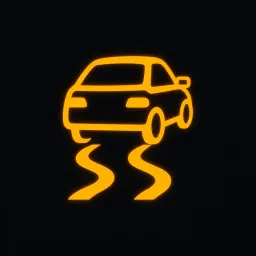


Common questions
What does code C0035 mean?
C0035 is a wheel-speed sensor circuit code on many cars, often for the left front wheel on GM models. Check which wheel it is with your scanner because meanings vary. ABS and traction control may stop working. Drive carefully only if braking feels normal and no red brake warning is on.
Can I drive with a C0035 code?
Yes, carefully, if the brake pedal feels normal and no red brake warning is on. ABS, traction and stability support may not work. Leave extra stopping space. Stop safely for changed braking, brakes coming on unexpectedly or a red brake light.
How much does it cost to fix C0035?
The repair depends on the cause. You may need a separate wheel-speed sensor, wiring repairs or a hub and bearing assembly. Read the codes and diagnose the fault first. The diagnosis shows the parts needed and whether it is a DIY job or a mechanic job. Check which wheel it is and failure before buying parts.
Which wheel is C0035?
On many GM cars it is the left front wheel, but confirm the scanner's description for your model. Other definitions exist, including a right-front supply description. Left means the car's left side whichever side the steering wheel is on.
How do I clear code C0035?
Fix the confirmed fault, then clear C0035 with an ABS-capable scanner. Check wheel-speed readings and normal braking before you drive regularly. This is guidance, not a professional inspection. If in doubt, stop safely and call for help.
Sources
- SAE J2012: Diagnostic Trouble Code Definitions
- GM: Wheel speed sensor codes and magnetic encoder checks
Last updated · How we write our guides
This is guidance, not a professional inspection. If in doubt, stop safely and call for help.