
Mazda car dashboard symbols use red for urgent warnings and amber for faults needing attention. Green i-stop usually shows normal stop-start operation. Amber i-stop can mean a fault or that it is switched off. DSC covers stability control. Models with i-ELOOP also show energy-system warnings. A blue coolant light usually means the engine is cold.
Also searched mazda dashboard symbols and meanings, mazda warning lights, mazda 3 dashboard symbols and meanings, mazda i-stop light, mazda i-ELOOP warning
Find your Mazda symbol
 Check engine light▲ Check soon
- Flashing engine warning light■ Stop now
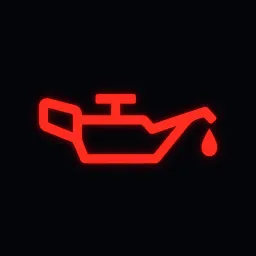 Engine oil pressure warning light■ Stop now
 High engine coolant temperature warning■ Stop now
 Brake system warning light■ Stop now
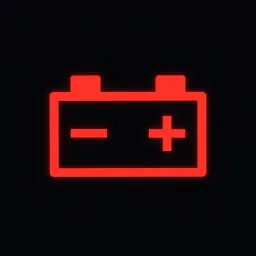 Charging system warning light▲ Check soon
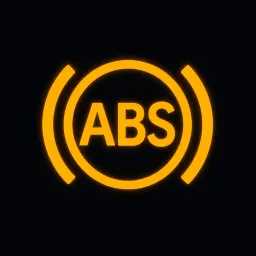 Anti-lock braking system warning▲ Check soon
 Air bag / front seat belt pretensioner warning▲ Check soon
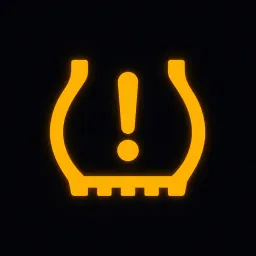 Tyre Pressure Monitoring System warning▲ Check soon
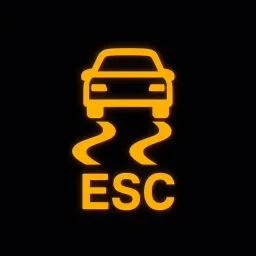 TCS / DSC indicator▲ Check soon
 i-stop warning light▲ Check soon
- i-stop indicator light● Info
- i-ELOOP warning indication▲ Check soon
- Low engine coolant temperature indicator● Info
 Wrench / maintenance monitor▲ Check soon
 High-beam indicator● Info
Find out what's wrong with your car
Pick the light or enter the code, then add your Mazda model and what you've noticed. You'll get a safety verdict and the three most likely causes, free.
Make selectedMazda
Free result
- Can you keep driving
- Top 3 likely causes for your car
- DIY or mechanic for each
Fix Plan
- Every cause, ranked for your car
- What to test first
- Parts list and step-by-step DIY guide
- Printable PDF
Start free. You can choose the Fix Plan after you see your result.
Red Mazda warning lights
Engine oil pressure warning light ■ Stop now
Oil pressure may be too low to protect your engine. This is different from an oil-change reminder.
What to do: Stop safely and switch off the engine. Do not drive or restart until someone has checked the cause.
High engine coolant temperature warning ■ Stop now
The engine coolant is too hot. Some models show a message or temperature gauge warning instead.
What to do: Stop safely and switch off the engine. Let it cool. Never open a hot coolant cap.
Brake system warning light ■ Stop now
If your parking brake is released, this can mean low brake fluid or a brake system fault.
What to do: Stop safely. Get it checked before driving. Have a mechanic do brake hydraulic repairs.
Charging system warning light ▲ Check soon
Your 12-volt charging system is not supplying power as it should while the engine runs.
What to do: Only drive a short way. Head for help now. Stop safely if it overheats, steering gets heavy or power fades.
Air bag / front seat belt pretensioner warning ▲ Check soon
An airbag or seat belt pretensioner fault may stop them protecting you properly in a crash.
What to do: Book a professional diagnosis soon. Have a mechanic do this repair. Do not probe airbag wiring or reset the warning without checking it.
Yellow / amber Mazda warning lights
Check engine light ▲ Check soon
A steady engine light means your engine or emissions controls have found a fault.
What to do: Get the stored codes read soon. Avoid accelerating hard. Stop if the engine runs badly or the light flashes.
Flashing engine warning light ■ Stop now
A flashing engine light can mean a misfire that may damage the catalytic converter.
What to do: Ease off the accelerator. Stop safely, switch off the engine and call for help.
Anti-lock braking system warning ▲ Check soon
ABS has found a fault. Normal braking usually still works, but anti-lock braking may not work.
What to do: Drive carefully to a repair shop if the pedal feels normal. Stop if the red brake light is also on.
Tyre Pressure Monitoring System warning ▲ Check soon
One or more tires may not have enough air. A flashing light followed by a steady light can mean a monitoring fault.
What to do: Stop safely and check all cold tire pressures against the door label. Repair a puncture before resetting anything.
TCS / DSC indicator ▲ Check soon
Flashing means traction or Dynamic Stability Control is stepping in. A steady light can mean a fault.
What to do: Slow down during wheel slip. Have a steady warning diagnosed if it stays on after the startup check.
i-stop warning light ▲ Check soon
On models with i-stop, steady amber can show it is switched off. Flashing amber can mean a fault.
What to do: Check the i-stop switch and message. Have a flashing warning that stays on diagnosed. A weak 12-volt battery is one possible cause.
i-ELOOP warning indication ▲ Check soon
On models with this feature, an amber warning can mean the regenerative energy system has a fault.
What to do: Read the message and book a diagnosis. Have a mechanic handle the capacitor and related electrical components.
Wrench / maintenance monitor ▲ Check soon
Scheduled maintenance or an oil change is due. Diesel oil-condition warnings can need attention of their own.
What to do: Read the maintenance message. Complete the service before resetting the right monitor.
Green, blue and white indicator lights
i-stop indicator light ● Info
The engine has stopped automatically, or the system is showing its current operating state. The exact behaviour varies.
What to do: Keep the brake applied as required. Read your handbook if the light flashes or the engine does not restart.
Low engine coolant temperature indicator ● Info
On models with this indicator, the coolant is still cold. This is different from the red overheating warning.
What to do: Drive gently until your engine warms up. Get it checked if the blue light stays on unusually long or the heater stays cold.
High-beam indicator ● Info
The main-beam headlights are on.
What to do: Dip your headlights for oncoming traffic and when you follow another car.
Symbols unique to Mazda

i-stop
Mazda's stop-start system shows different states for normal operation, being switched off and faults. Green and amber have different meanings.
What to do: Check the colour, flashing pattern and message. Do not assume a failed battery every time stop-start is unavailable.
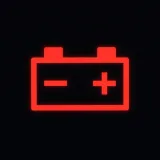
i-ELOOP
Some Mazda models store recovered braking energy in a capacitor to help power electrical equipment. This is separate from hybrid traction drive.
What to do: Follow the warning instructions on the display. Ask a mechanic to test the system before replacing the ordinary battery.
DSC / Dynamic Stability Control
DSC helps correct a skid. It shares wheel-speed information with other braking systems, so one fault may bring on several warnings.
What to do: Read ABS and DSC codes if the light stays on. Flashing while it steps in usually means slow down, not a reset.
Common Mazda codes
- P0126
Insufficient coolant temperature for stable operation. Mazda has documented coolant-control valve problems on some non-turbo Skyactiv models.
- P0300
Random or multiple misfires. Test ignition, injection and engine condition before you buy coils.
- P0171
Lean mixture on bank 1. Check for air leaks, fuel trims and fuel delivery.
- P0421
Warm-up catalyst efficiency below threshold, bank 1. Documented on earlier Mazda petrol engines.
- P0455
Large fuel-vapour leak on petrol models. Check the cap, hoses and EVAP controls.
Mazda known issues by model
An issue on this list doesn't mean your car has a recall or a fault. Use your VIN to check recalls.
Mazda3 / CX-30 / CX-5, non-turbo Skyactiv 2018–2021
Some models have coolant-control valve faults linked to P0126, slow warm-up and weak cabin heat. Which years are affected depends on the model and VIN.
CX-9 2.5T / CX-5 2.5T / Mazda6 2.5T 2016–2020
Some turbo engines have documented cylinder-head coolant leaks. Check if your engine, model year and VIN match. Stop for overheating.
Mazda6 / CX-5 2.2 Skyactiv-D various
Repeated interrupted DPF regeneration can contribute to fuel dilution of the oil. If the oil level is above the marked limit, get professional checks.
How to reset Mazda lights
Fix warning-light faults before clearing codes. Service reminders have different reset steps.
Reset the maintenance or oil monitor
- Carry out the oil change or scheduled service using the required oil.
- Open Vehicle Status Monitor, Maintenance or the matching menu in Mazda Connect.
- Choose the service item you have completed and confirm Reset. Diesel oil-data resets may also need a specific procedure or diagnostic tool.
- Steps vary by model and year. Check your owner's manual.
Reset tyre pressure monitoring where a SET switch is fitted
- Set all cold tyre pressures to the door-label figures.
- Park safely, switch on the ignition and use the TPMS SET switch as your handbook tells you.
- Follow the learning-drive instructions. Models without a SET switch may learn automatically or need their sensors registered.
- Steps vary by model and year. Check your owner's manual.
Read your fault code
The light is the warning. The code tells you why. A code helps narrow down the checks. It doesn't prove which part failed.
Look up a code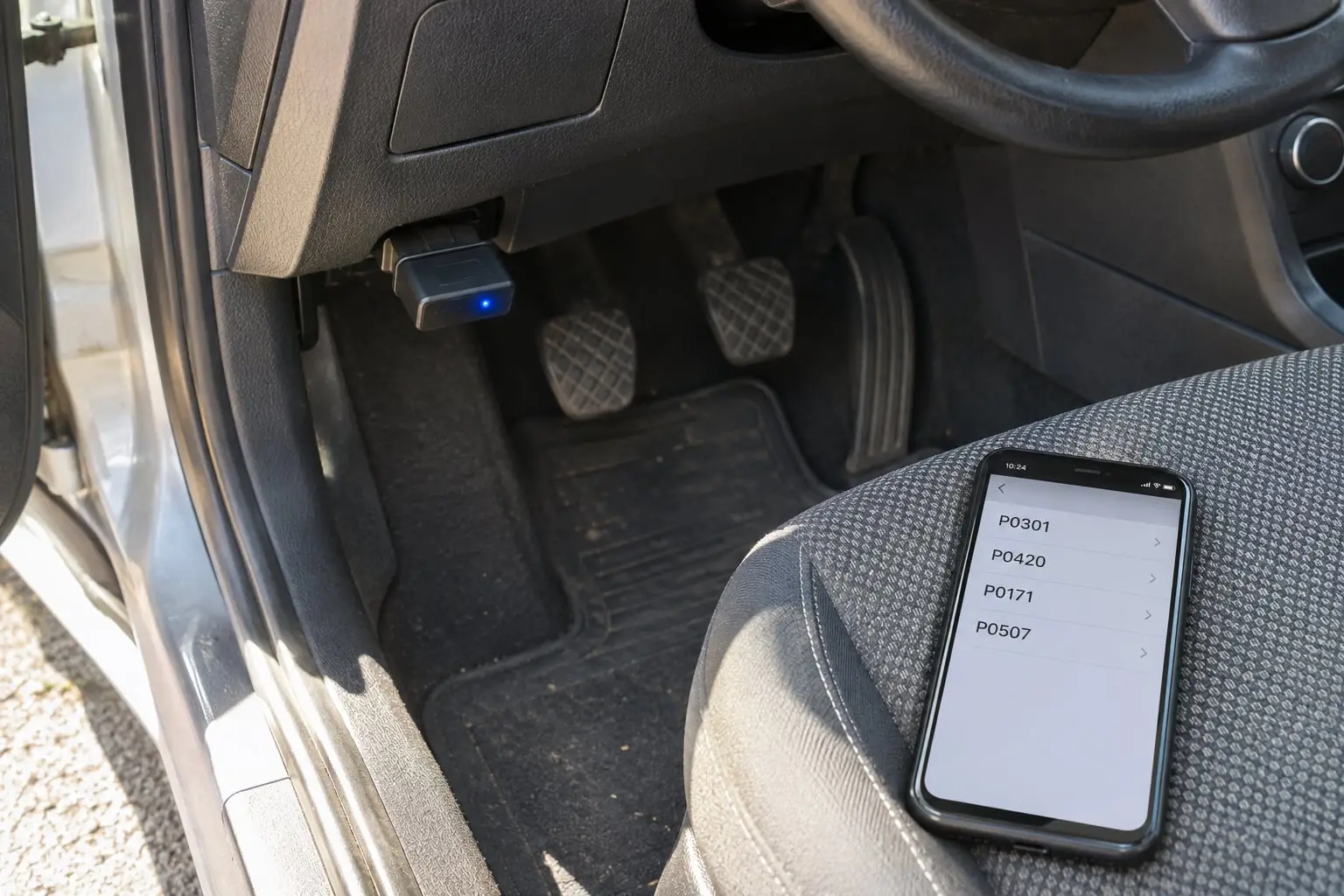
No scanner?
- Get a free scan at a parts store. Many free scans read engine codes only.
- Compare Bluetooth scanners. Check which systems each one reads before you buy.
- Describe your symptoms if you can't read the code yet.
Best scanner for MazdaBlueDriver Pro
Most drivers who want code explanations and repair reports, plus ABS and airbag code reading on supported cars.
Check support for your exact model, year and system before buying. A basic engine reader may not read Mazda ABS or airbag codes.
Mazda models
Mazda2 · Mazda3 · Mazda6 · CX-3 · CX-30 · CX-5 · CX-50 · CX-9 · CX-90 · MX-5
Common questions
What do Mazda car dashboard symbols mean?
Mazda dashboard symbols show warnings and active functions. Red oil pressure, high coolant temperature and brake faults mean stop safely. Amber symbols usually need checks soon. A blue coolant indicator generally means a cold engine. DSC flashing can be normal while it steps in.
Why is my Mazda i-stop light flashing amber?
Flashing amber usually means an i-stop fault on models with that warning. Steady amber may instead mean you switched i-stop off. Read the message and check your handbook. Have the battery and system tested before replacing parts.
What does a Mazda i-ELOOP warning mean?
An i-ELOOP warning means the energy recovery system needs attention on models with it. The system uses a capacitor and is different from ordinary stop-start. Read the full message and get professional checks rather than trying capacitor repairs yourself.
How do I reset the Mazda tyre pressure light?
Set all cold tyre pressures correctly before resetting. Some Mazda models use a TPMS SET switch. Others learn automatically or need their sensors registered. Follow your model's procedure. A warning that comes back needs the tyres and monitoring system checked.
Can I drive with a Mazda warning light on?
Stop for red oil pressure, overheating, a red brake fault or a flashing engine light. Read amber i-stop or i-ELOOP messages before you continue. This is guidance, not a professional inspection. If in doubt, stop safely and call for help.
Sources
- Mazda USA: Owner information and manuals
- Mazda USA: Vehicle Status Monitor
- NHTSA: Mazda coolant-control valve service information
Last updated · How we write our guides
Other makes


















This is guidance, not a professional inspection. If in doubt, stop safely and call for help.